Unable to Connect a myQ® Device to Home Wi-Fi Network Overview
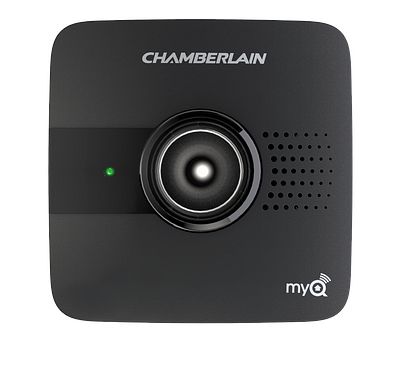
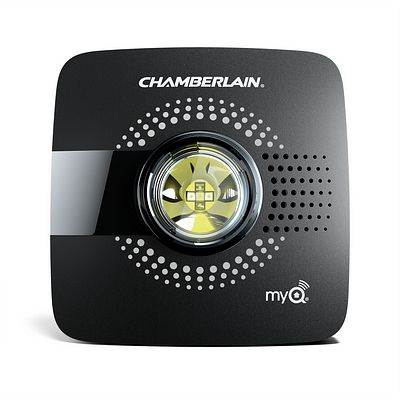
When attempting to connect a myQ® Garage, myQ Smart Garage Hub, or a Smart Garage Control to your home network, the LED indicator lights will go through a sequence of flashes before one LED light turns solid green. Each step of the sequence indicates what the hub is attempting to do and how you approach troubleshooting depends on the LED light's behavior and color.
myQ Garage
myQ Smart Garage Hub
Smart Garage Control
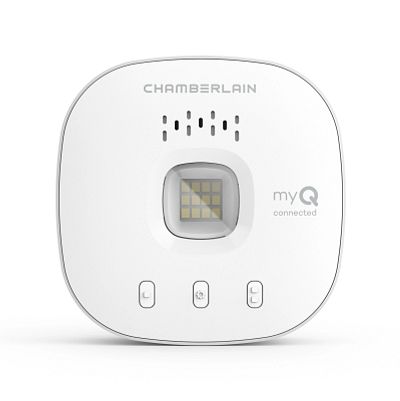
Verify the color and status of your product's LED indicator light and utilize the resources below to troubleshoot.
| LED Light Status and Color | Connection Status | Troubleshooting Resources |
|---|---|---|
Blinking Blue |
Unable to connect to your home Wi-Fi network | Unable to Connect a myQ Device to Wi-Fi and LED Light Flashes Blue |
Solid Blue |
Unable to connect to your mobile device | Unable to Connect a myQ Device to Wi-Fi Network and LED Light is Solid Blue |
Blinking green |
Unable to connect to myQ® internet server | Unable to Connect a myQ Device to Wi-Fi Network and LED Light Flashes Green |
Solid Green |
Connect to myQ® server, but device not added to myQ® account | Unable to Connect a Smart Garage Hub or Smart Garage Control to Wi-Fi Network and LED Light is Solid Green |
Blinking Blue and Green |
Unable to connect to your home Wi-Fi router | Unable to Connect a myQ Device to Wi-Fi Network and LED Lights Flashing Blue and Green |
| LED not lit | No power to device | Unable to Connect a myQ Device to a Wi-Fi and There Is No LED Light |
Note: Chamberlain Group Technical Support does not troubleshoot routers. If additional assistance is needed to access a home router, please contact the router's manufacturer.
https://support.chamberlaingroup.com/s/article/Unable-to-Connect-a-myQ-Garage-myQ-Smart-Garage-Hub-or-Smart-Garage-Control-to-Home-Wi-Fi-Network-Overview